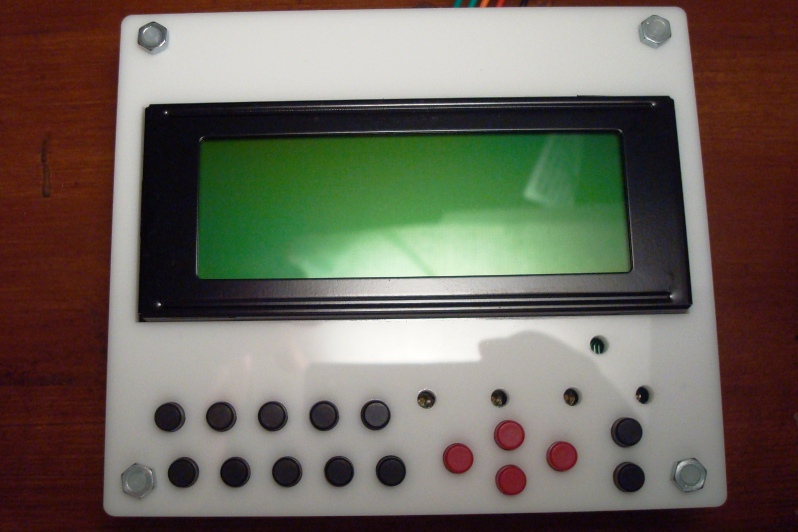
Face plates are coming out! These are white 3mm acrylic face plates made from laser cutting. I didn’t choose color since I thought I could just paint the white to any color I wanted. Well, I don’t really have a spray painting can :((
If you want to make them, just leave a message here. I’ll be posting the design file in a while.


This is the design file in Corel Draw 11 (super old version). It should export into the .svg file for laser cutting at ponoko.com with the 180mm*180mm service (cheapest) if you also have Corel Draw. Otherwise, download the .svg file. I am not sure what software to use to modify .svg if you want some changes though.
To make it, set up an account at ponoko.com and choose acrylic (3mm thickness suggested).
Contains 2 16×2 face plate, 1 20×4 face plate, and one arduino uno support.
Corel Draw file:
http://code.google.com/p/phi-panel/downloads/detail?name=phi-panel_faceplate_v3.cdr&can=2&q=
Exported .svg file:
http://code.google.com/p/phi-panel/downloads/detail?name=phi-panel_faceplate_v3.svg&can=2&q=
Suggested push buttons: EG1861-ND, caps: EG1882-ND, EG1881-ND, EG1880-ND. All these are digikey.com part numbers. These are the cheapest ones I could find.
Suggested spacers: M3 thread 8mm spacing and M3 screw: 25509K-ND, H742-ND.