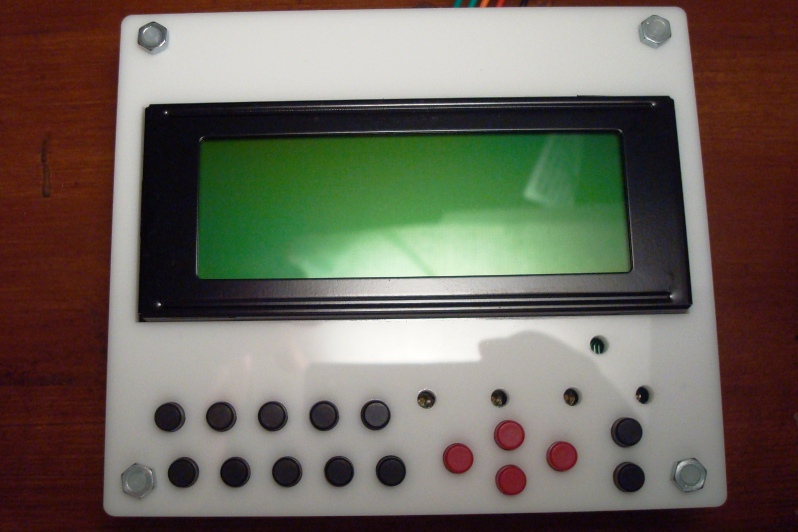
New phi-panel face plates are on their ways
November 6, 2012 6 Comments
Recently I have been contacted by various individuals regarding using the phi-panel LCD back pack with rotary encoders and buttons instead of matrix keypad. So I thought about it, and made the firmware change to accommodate that. It was covered in a previous post. Now that I have these different firmwares that support different key layouts, I felt that I should complete the circle by adding these layouts to new face plates.
Tada!

These two layouts are for 20X4 and 16X2 phi-panel LCD backpacks. I designed new PCBs to accommodate a rotary encoder with a switch on the shaft (press down) and up to 6 additional buttons. Now you can use a rotary encoder, and up to 5 buttons at any of the 6 locations.
Why having 6 locations but only allowing up to 5 buttons? There are 8 connections on the phi-panel. These are originally intended for the 4*4 matrix keypad. Now with the above new key layouts, these buttons are used as the following:
Encoder channel A, encoder channel B, encoder switch, button 1, button 2, button 3, button 4, button 5. After the encoder, there are only 5 connections left anyway. But to give you the freedom to arrange keys, I have 6 locations. For the locations that you don’t want a key, simply tape it. The laser cut face plate contains 6 discs each at a button hole. Just tape those discs in the back and that hole is covered! I like the layout to be symmetric so you can flip the face plate and use the other side, because one side is glossy, and the other side is matte! Didn’t I think of everything?! Of course I conveniently neglected all the screw holes in the above rendering but they are included on the actual panels. Use black screws if you want for the look.
At the moment, I looked up and down a few US suppliers and ebay for rotary encoder knobs but I can’t seem to find the single most attractive ones with no lines or marks on them so I will not include knobs and let you choose any size up to 1.25 inch diameter or 31.5mm in diameter. There are lots of them.
Next are two layouts with directional keys:

There are 4 holes arranged in u/d/l/r and there are 2 additional holes on the top and 2 on the bottom. You can do your u/d/l/r/ and pick any of the free holes for enter or use all 8 holes for 8 buttons. The key arrangement of the corresponding firmware will be:
Up/down/left/right/enter/1/2/3
Once I get these face plates, I will give a demonstration of each one of them, how to wire them up and how to flash different firmware to go between these configurations.